/*
    Arduino with PIR motion sensor
    For complete project details, visit: http://RandomNerdTutorials.com/pirsensor
    Modified by Rui Santos based on PIR sensor by Limor Fried
*/
int buzzer = 12;
int led = 13;                // the pin that the LED is atteched to
int sensor = 7;              // the pin that the sensor is atteched to
int state = LOW;             // by default, no motion detected
int val = 0;                 // variable to store the sensor status (value)

void setup() {
  pinMode(led, OUTPUT);      // initalize LED as an output
  pinMode(sensor, INPUT);    // initialize sensor as an input
  Serial.begin(9600);  // initialize serial
   pinMode(buzzer,OUTPUT);
}

void loop(){
  tone(buzzer,10,5);


  val = digitalRead(sensor);   // read sensor value
  if (val == HIGH) {           // check if the sensor is HIGH
    digitalWrite(led, HIGH);   // turn LED ON
    delay(100);                // delay 100 milliseconds
  digitalWrite(buzzer,HIGH);
        delay(2);//wait for 2ms


    if (state == LOW) {
      Serial.println("Motion detected!");
      state = HIGH;       // update variable state to HIGH
    }
  }
  else {
      digitalWrite(led, LOW); // turn LED OFF
      delay(50);             // delay 200 milliseconds
        digitalWrite(buzzer,LOW);
        delay(1);


      if (state == HIGH){
        Serial.println("Motion stopped!");
        state = LOW;       // update variable state to LOW

    }
  }
}
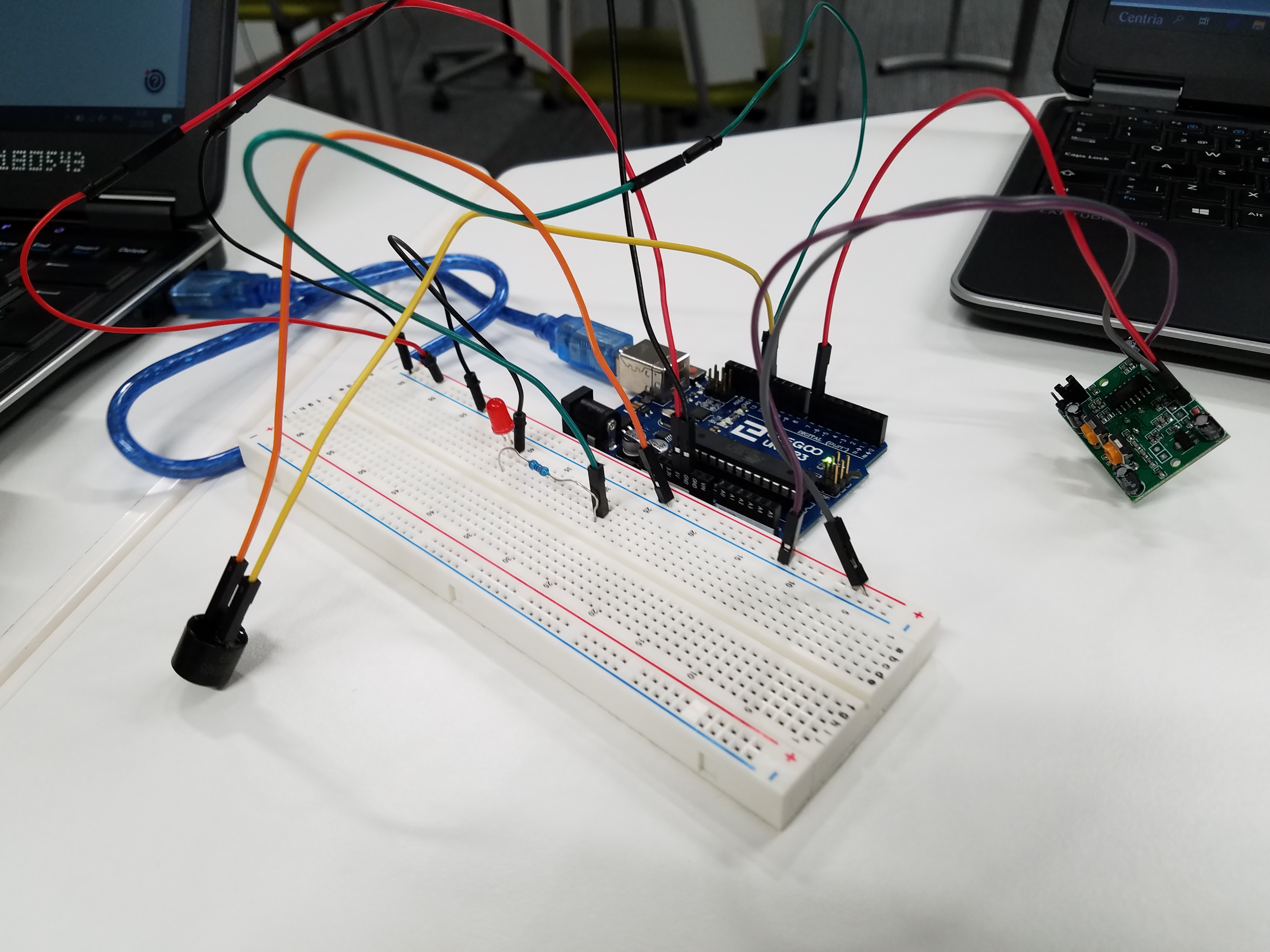

 Embedded System 5